
Hiring & Recruitment

Recruitment Process Outsourcing For Agencies That Scale
Introduction
Most staffing agencies don't run out of clients first. They run out of recruiter hours. A new MSA lands, the req count doubles, and the same eight recruiters are now sourcing, screening, chasing references and prepping submittals for twice the volume.
Recruitment process outsourcing for agencies is how a lot of firms close that gap. Instead of hiring a full-time recruiter every time demand spikes, the agency hands specific parts of its delivery work, usually sourcing, screening and candidate prep, to an outside partner that works inside its own workflow. The agency keeps the client relationship, the pricing and the final submittal.
This guide covers what agencies actually outsource, the RPO models that suit staffing firms, the cost math, a rollout plan, and the compliance questions to settle before you sign anything.
TL;DR
- Recruitment process outsourcing for agencies means handing parts of your delivery desk, like sourcing and screening, to a partner while you keep the client and the submittal.
- It's different from employer-side RPO, where the provider acts as a company's internal hiring team.
- Staffing firms usually pick from four models: sourcing support, dedicated recruiters, surge projects, or a pre-vetted talent partner.
- The cost case rests on paying for output during busy months instead of carrying fixed recruiter salaries all year.
- Settle compliance, data access and duplicate-submission rules in writing before the first req goes out.
What recruitment process outsourcing for agencies covers
Put simply, it's a staffing firm buying recruiting capacity for its own desk. The partner handles agreed parts of the work behind the scenes. Your clients still see your brand, your account manager and your submittals.
1. How it differs from employer-side RPO
In the classic setup, a company hires an RPO provider to act as its internal talent team. The provider usually works under the company's employer brand and owns hiring from intake to offer.
If you're weighing that as an employer, start with the employer-side benefits of outsourcing recruitment.
Agency RPO sits one step back in the chain. The end client never contracts with the partner. Your agency owns the req, the bill rate and the relationship, and the partner feeds your recruiters stronger candidates faster.
2. What agencies usually hand off
A rough rule that holds up well: if a task needs judgment about the client, keep it. If it mostly needs hours, it's a candidate for outsourcing.
Signs your agency is ready for RPO support
Outsourcing makes sense when the bottleneck is recruiter capacity, not demand or process. These are the patterns that usually show up first:
- Reqs go cold before anyone works them. If a new requirement sits for a day or two before sourcing starts, you're losing submittals to faster vendors on the same MSA.
- Senior recruiters spend mornings on Boolean strings. Your best closers should be talking to candidates and hiring managers, not scrolling job boards.
- Demand swings hard by quarter. A single client ramp can double your open reqs, then drop back. Hiring for the peak leaves you paying idle salaries later.
- You're turning down niche roles. Cloud, data or security reqs outside your team's usual skill set go unanswered because nobody has the network.
- Submittal quality slips under volume. When recruiters rush, you start seeing interview no-shows and candidates who don't match the skills matrix.
If your problem is slow client feedback or unclear job descriptions, outsourcing won't fix it.
It helps to know where time-to-fill days actually go before you decide which part of the process to hand off.
RPO models for staffing agencies
Agency RPO isn't one product. Most arrangements fall into four models, and many firms end up mixing two of them.
These models overlap with the wider staffing options your clients buy from you. For the full picture, see how the main IT staffing models compare.
Matching a model to a real situation
Take a 12-person IT staffing firm that just landed a second enterprise MSA. The existing team can cover its current clients, but the new account will open 30 to 40 contract reqs over the next quarter, mostly cloud and data roles.
Hiring three new recruiters would take months and leave the firm overstaffed if the ramp slows. A surge engagement for the first 90 days, paired with a pre-vetted talent partner for the hardest skill sets, covers the spike without adding fixed headcount.
If volume holds, the firm can hire against proven demand later.
What outsourced recruiting costs compared to hiring
The cost case is less about a cheaper hourly rate and more about paying for capacity only when you use it. A full-time recruiter costs you every month, whether the req board is full or quiet.
For reference, the U.S. Bureau of Labor Statistics puts the median annual wage for human resources specialists, the category that includes recruiters, at $72,910 as of May 2024 (BLS Occupational Outlook Handbook).
That's base pay only, before benefits, commission, tools or the months it takes a new hire to build a pipeline.
Common pricing structures
Most partners price agency work in one of three ways: a monthly fee per dedicated recruiter, an hourly rate for sourcing and screening, or a fee tied to results such as submittals or placements.
Results-based pricing looks safest on paper, but read how "qualified submittal" is defined before you agree to it.
Outsourcing is one lever among several. For others, see these cost-saving strategies for recruitment.
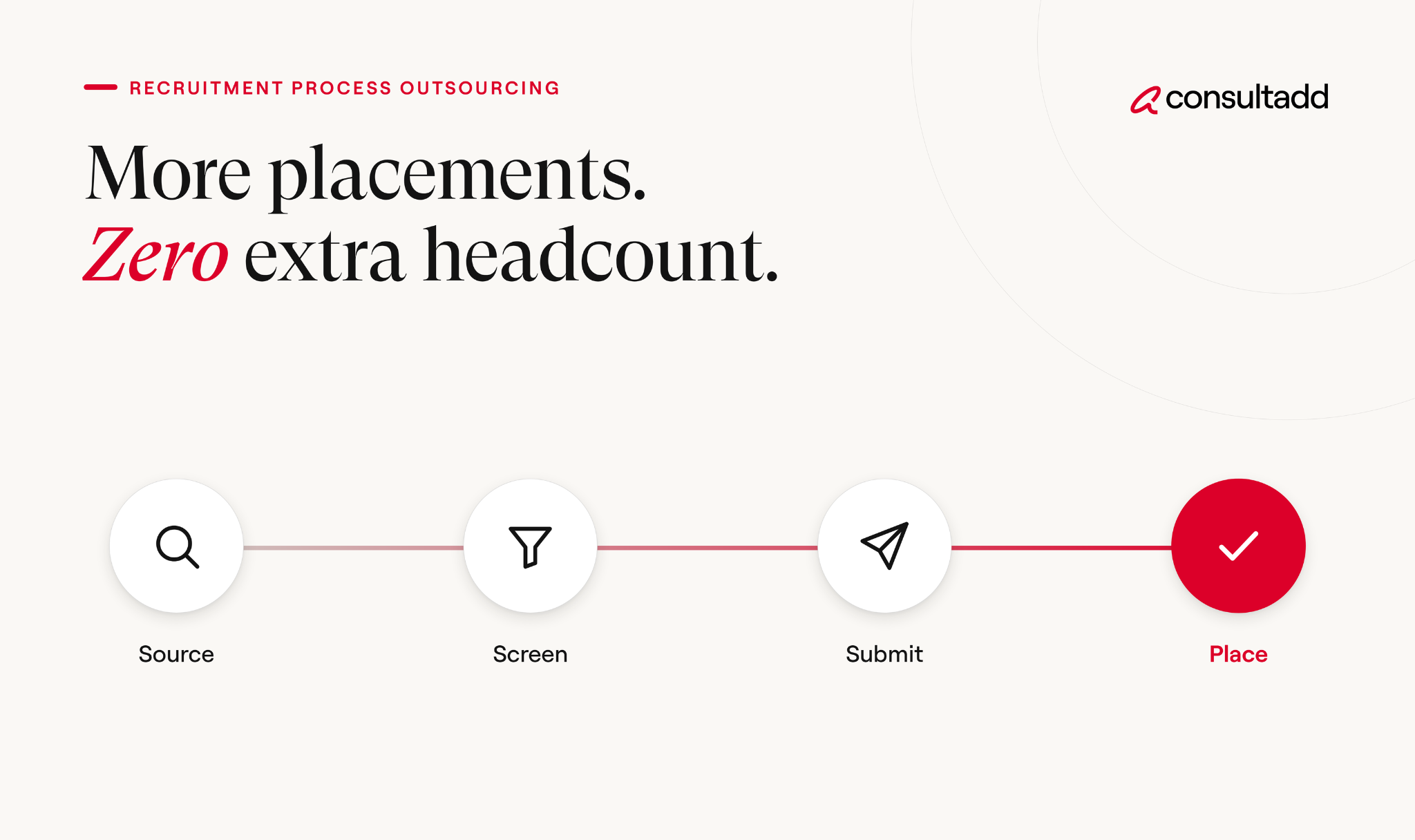
How to roll out RPO without disrupting clients
The safest rollouts start small. Pick one client or one skill family, prove the process, then widen it.
- Map your current desk. Write down who does what between req intake and submittal, and how long each step takes today.
- Choose the tasks to hand off. Use the table earlier in this guide. Start with sourcing and first screens, since they're the easiest to measure.
- Set shared definitions. Agree on what counts as a qualified candidate, a duplicate, and a completed screen.
- Give controlled system access. Limit the partner to the ATS views and reqs they need.
- Run a pilot. Four to six weeks on a small set of reqs, with a weekly review of submittal-to-interview ratios.
- Scale or adjust. Add clients or skill sets only after the pilot numbers hold.
A typical 90-day timeline
One thing recruiters learn quickly: the first two weeks of the pilot feel slower, not faster. That's the partner learning your clients' preferences. Judge the results from week four onward.
Compliance and quality risks to settle first
Outsourcing the work doesn't outsource the liability. Your agency is still the name on the MSA, so any gap in the partner's process lands on you.
Employment eligibility and classification
Whoever is the employer of record must complete Form I-9 for each new hire to verify identity and work authorization. USCIS's Form I-9 guidance spells out what that involves.
Decide in writing who collects documents, who reviews them and where records are kept.
Classification matters just as much on contract desks. The U.S. Department of Labor explains how misclassifying employees as independent contractors affects wage and overtime obligations.
If a partner supplies candidates on corp-to-corp terms, confirm how those consultants are engaged.
For sponsored workers, keep up with H-1B rule changes before you submit anyone.
Candidate ownership and data
The most common agency dispute isn't legal. It's two recruiters submitting the same candidate to the same client. Put these points in the contract:
- Written right-to-represent from every candidate before a submittal
- A clear duplicate rule, including how long candidate ownership lasts
- Who owns candidate records if the engagement ends
- Which client details the partner can see, and which stay with your account team
- Where offshore recruiting support is involved, how candidate data is stored and accessed
How to choose an RPO partner for your agency
A partner that works well for corporate HR teams may not understand agency economics. You want one that has worked with staffing firms before and knows that speed to submittal and margin both matter.
Ask for a pilot on a few live reqs before a long contract. How a partner handles a tough cloud or data requirement in week two tells you more than any sales deck.
Where RPO fits in your agency's growth plan
Recruitment process outsourcing for agencies works best as a capacity tool, not a replacement for your team. Keep client relationships, pricing and final submittal decisions in-house.
Hand off the hours-heavy work that slows your recruiters down.Start with one client or one skill family, measure it against your own numbers, and expand only when the results hold.
Agencies that treat the first 90 days as a test, rather than a commitment, usually make the better long-term call.
Start Strong With Consultadd
With 15 years in business and 5,000+ successful staffing engagements, we don't just fill roles, we build reliability into your process. We've supported 65 staffing companies in the past year alone and maintain MSAs with industry leaders like Robert Half and TEKsystems.
Here's what working with Consultadd looks like:
- Talent sourced in under 24 hours
- Ready-to-deploy candidates, vetted for experience and compliance
- Lower turnover risk: we match long-term goals, not just short-term needs
- Seamless compliance: visa, documentation, onboarding? Handled.
- Dedicated 1:1 account managers for responsive, personalized support
- Top 100 candidate matches delivered in the past year
- Strong partnerships with universities to tap into fresh, committed talent
- Post-placement support so your investment grows beyond day one
For candidates, your next opportunity is more than just a job title, it's a chance to build skills, gain experience, and move your career forward. At Consultadd, we connect technology professionals with projects and employers that align with their goals, whether they're looking for contract, contract-to-hire, or long-term opportunities.
The tech job market moves fast, but the right guidance can make all the difference. Ready to take the next step in your career journey? Explore Opportunities >>
Key takeaways
- Agency RPO buys recruiting capacity for your own desk, while your agency keeps the client, the bill rate and the submittal.
- Sourcing, first screens and resume formatting are the easiest tasks to hand off and measure.
- Match the model to the problem: surge support for client ramps, a pre-vetted talent partner for hard-to-fill tech roles.
- A 4 to 6 week pilot on live reqs tells you more than any proposal.
- I-9 responsibilities, worker classification and duplicate-submission rules belong in the contract, not in an email thread.
FAQs
What is RPO for staffing agencies?
It's an arrangement where a staffing agency outsources parts of its own recruiting work, such as sourcing or screening, to an outside partner. The agency still owns the client relationship and makes the final submittal. Clients typically work only with the agency.
What is the difference between RPO and a staffing agency?
A staffing agency fills roles for clients, usually per placement or on a bill rate. An RPO provider runs part or all of a recruiting process on someone else's behalf. In agency RPO, the agency is the one buying that support.
How much does recruitment process outsourcing cost?
It depends on the model. Common structures are a monthly fee per dedicated recruiter, an hourly rate for sourcing and screening, or a fee per qualified submittal or placement. Compare any quote with the full cost of a salaried recruiter, including benefits, tools and ramp-up time.
Can small recruitment agencies use RPO?
Yes. Smaller agencies often benefit most, because one client ramp can overwhelm a team of three or four recruiters. Starting with a short pilot keeps the commitment low.
Is offshore recruiting support safe for candidate data?
It can be, if access is controlled. Limit the partner to the ATS views and reqs they need, and put data storage and ownership terms in the contract. Ask how the partner handles candidate consent and record deletion.
How long does it take to set up an RPO partnership?
Most agencies can start a pilot within two to three weeks once scope and definitions are agreed. A full rollout across several clients usually takes around 90 days, including a review before scaling.

What Are Recruitment Strategies? Types And How To Choose
Introduction
Most hiring teams can list the tools they use: a job board, an ATS, a referral bonus, maybe an agency for hard roles. Far fewer can explain why they use those tools for one role and not another.
That gap is where the question "what are recruitment strategies" actually matters. A recruitment strategy is the plan for how you'll find and attract candidates for a specific kind of role.
It covers where you'll look, whether you'll wait for applicants or go after them, and whether you'll hire permanently or bring in flexible talent. The tactics come after those decisions.
This guide defines the term, walks through the eight main types, and shows how to pick the right mix for each role you hire.
TL;DR
- A recruitment strategy is the set of decisions about where, when, and how you'll find candidates for a type of role. Tactics like job posts and referral bonuses carry it out.
- The eight main types come in four pairs: internal or external, proactive or reactive, inbound or outbound, and direct hire or flexible talent.
- No single strategy fits every role. Volume, scarcity, urgency, and how long you need the person decide the mix.
- A useful strategy fits on one page per role family.
- Whatever strategy you choose, recruitment practices still have to follow equal employment opportunity law.
What are recruitment strategies?
Recruitment strategies are the planned approaches an organization uses to attract and engage candidates for open or future roles. They sit between workforce planning, which decides what talent you'll need, and selection, which decides who you hire.
The terms get mixed up, so here's how they differ.
A team with tactics but no strategy usually runs the same routine for every role. It posts a job, waits, and calls an agency when that doesn't work. That can fill easy roles, but it struggles with scarce ones.

The numbers show why the plan matters. The U.S. Bureau of Labor Statistics reported 7.3 million job openings and 5.1 million hires in July 2026. Openings have run well above hires for most of this year, so plenty of roles sit open longer than planned.
The 8 main types of recruitment strategies
Most recruitment strategies come down to four choices. Each has two sides, and most roles need a mix rather than a pure version of either.
Internal vs external recruitment
Internal recruitment fills roles from your existing workforce. The person already knows your systems and culture, and you already know how they perform. The catch is that every internal move opens another seat.
External recruitment brings in new people and new skills. It's the only option when the skill doesn't exist inside the company yet, such as a first data engineer or a new compliance specialty.
Most organizations do both. The strategic question is which roles should look at internal candidates first.
Proactive vs reactive recruitment
Reactive recruitment starts when a requisition opens. That's fine for roles you fill once every few years.
Proactive recruitment builds a pipeline ahead of demand, for example by staying in touch with strong past finalists, alumni, and people who've expressed interest.
If you hire for the same role more than twice a year, starting from scratch each time almost always costs more.
Inbound vs outbound recruitment
Inbound recruitment brings candidates to you through job ads, your careers page, and your reputation. It works when plenty of qualified people are actively looking.
Outbound recruitment means a recruiter identifies specific people and contacts them directly. It's slower per candidate, but for scarce skills it's often the only way to reach anyone qualified.
Our guide to choosing a candidate sourcing solution covers the tools that support outbound work.
Direct hire vs flexible talent
Direct hire adds a permanent employee. Flexible talent covers contract workers, contract-to-hire arrangements, and staffing or supply partners.
Flexible talent isn't only for emergencies. It suits work with an end date, like a migration or a compliance deadline, and roles where you're not yet sure the need is permanent.
Our explanation of how contract-to-hire works covers the middle ground between the two.
How to choose a recruitment strategy for each role
Pick the strategy per role family, not for the whole company. Four questions do most of the work:
- How many people do you need? One hire and fifty hires call for different strategies.
- How scarce is the skill? If qualified people are rarely job hunting, inbound alone won't reach them.
- How urgent is it? A start date three weeks out rules out a long, patient search.
- How long will you need the person? Permanent needs point to direct hire. Time-bound needs point to flexible talent.
Here's how those answers translate into a strategy mix in common situations.
The first row looks nothing like the third, and that's the point. A company that handles both the same way will either overspend on the support roles or never fill the security ones.
For more detail on the two extremes, see our guides to high-volume hiring strategies and executive hiring process optimization.
Write your recruitment strategy on one page
A recruitment strategy doesn't need to be a long document. For each role family, one page that answers these questions is enough:
- Demand. How many hires do we expect in the next 6 to 12 months, and when?
- Target candidates. Who are we looking for, and where do they work now?
- Primary strategy. Which of the eight types do we lead with, and why?
- Backup strategy. What do we do if the primary approach hasn't produced a slate within a set number of weeks?
- Owners. Who sources, who screens, and who decides?
- Budget. What can we spend on ads, tools, referral bonuses, or partners?
- Measures. Which two or three numbers tell us it's working, such as time to fill and 90-day retention?
The demand section depends on workforce planning. If your organization doesn't do that yet, try the U.S. Office of Personnel Management's Workforce Planning Guide.
It's written for federal agencies, but it works as a practical starting framework for any employer. Once the page exists, execution is where most of the effort goes.
Our hiring and recruiting strategies playbook covers sourcing channels, selection, closing, and the metrics to track.
Common mistakes with recruitment strategies
One strategy for every role. Posting and waiting works for common roles and fails for scarce ones. Match the strategy to the role family.
Staying reactive for repeat roles. If you've opened the same requisition three times this year, a pipeline would have saved weeks each time.
Relying on one channel. Referrals are cheap and often produce good hires, but a referral-only strategy narrows your pool. The EEOC's guidance on prohibited employment practices describes an employer that relies on word-of-mouth recruitment through a workforce mostly of one national origin.
If nearly all new hires end up sharing that origin, the practice may violate the law. Balance referrals with channels that reach a wider pool.
Measuring applicants instead of hires. A job post that draws 500 applicants and no hires isn't working. Track who reaches the offer stage and who's still there after 90 days.
Treating partners as a last resort. If you call a staffing partner only after a search has failed, you're briefing them on a role that's already late. Decide up front which roles go to a partner first.
Our guide to IT contract staffing services explains when that model makes sense.
Final thoughts on recruitment strategies
So what are recruitment strategies in practice? They're the decisions you make before you post a job:
- Do you look inside the company or outside it?
- Do you build pipelines or wait for requisitions?
- Do you attract applicants or go after specific people?
- Do you hire permanently or bring in flexible talent?
Make those choices once per role family, write them on a page, and revisit them each quarter. Picking tactics gets much easier once the strategy is clear.
Start Strong With Consultadd
With 15 years in business and 5,000+ successful staffing engagements, we don't just fill roles, we build reliability into your process. We've supported 65 staffing companies in the past year alone and maintain MSAs with industry leaders like Robert Half and TEKsystems.
Here's what working with Consultadd looks like:
- Talent sourced in under 24 hours
- Ready-to-deploy candidates, vetted for experience and compliance
- Lower turnover risk: we match long-term goals, not just short-term needs
- Seamless compliance: visa, documentation, onboarding? Handled.
- Dedicated 1:1 account managers for responsive, personalized support
- Top 100 candidate matches delivered in the past year
- Strong partnerships with universities to tap into fresh, committed talent
- Post-placement support so your investment grows beyond day one
For candidates, your next opportunity is more than just a job title, it's a chance to build skills, gain experience, and move your career forward. At Consultadd, we connect technology professionals with projects and employers that align with their goals, whether they're looking for contract, contract-to-hire, or long-term opportunities.
The tech job market moves fast, but the right guidance can make all the difference. Ready to take the next step in your career journey? Explore Opportunities >>
Key takeaways
- A recruitment strategy is the plan for where, when, and how you'll find candidates. Tactics are the actions that carry it out.
- The eight main types form four choices: internal or external, proactive or reactive, inbound or outbound, and direct hire or flexible talent.
- Choose the mix per role family based on volume, scarcity, urgency, and how long you need the person.
- One page per role family is enough to run on. It should cover demand, targets, primary and backup approaches, owners, budget, and measures.
- Relying on a single channel, especially word-of-mouth, can narrow your pool and create equal employment opportunity risk.
FAQs
What are recruitment strategies in simple terms?
They're the plans an organization uses to find and attract candidates. A strategy decides where to look, whether to wait for applicants or reach out, and whether to hire permanently or on contract. Specific actions like job ads and referral programs carry the strategy out.
What are the main types of recruitment strategies?
The eight common types are internal, external, proactive, reactive, inbound, outbound, direct hire, and flexible talent. They work as four paired choices rather than eight separate options. Most roles use a combination of several.
What is the difference between a recruitment strategy and a recruitment plan?
A recruitment strategy sets the overall approach for a type of role, such as leading with outbound sourcing for senior engineers. A recruitment plan applies that approach to a specific hiring need, with dates, owners, and budget. Many organizations combine both in one document.
What is the difference between internal and external recruitment?
Internal recruitment fills roles with existing employees through promotions or transfers. External recruitment brings in people from outside the organization. Internal hires ramp up faster, while external hires bring skills the company doesn't have yet.
Which recruitment strategy is most effective?
No single strategy works best for every role. Inbound job posting suits high-volume roles with plenty of applicants, while outbound sourcing and proactive pipelines suit scarce skills. The most effective approach matches the strategy to each role's volume, scarcity, and urgency.
How often should you review your recruitment strategy?
Review it at least quarterly, and whenever hiring demand changes significantly. Check whether each role family is filling on time and whether new hires are staying past 90 days. If the primary strategy hasn't produced a slate by your backup deadline, switch to the backup.

Candidate Sourcing Solution: How to Choose the Right Fit
Introduction
Most recruiting teams aren't short on candidate names. They're short on candidates who reply, pass a technical screen, and actually start on day one. A candidate sourcing solution is supposed to close that gap. The right one depends on where your pipeline breaks down.
This guide compares the five main types, from AI sourcing software to outsourced sourcing services and pre-vetted talent partners. For each one, you'll see what it costs you in time and money, which hiring situations it fits, and how to test it before you commit.
The pressure on recruiters isn't easing. U.S. job openings were roughly unchanged at 7.3 million in July 2026, while hires held at 5.1 million (BLS Job Openings and Labor Turnover Survey).
TL;DR
- A sourcing solution has four jobs: find candidates, reach them, qualify them, and track the results. Most solutions do only one or two of these well.
- The five main types are AI sourcing software, ATS and CRM sourcing features, outsourced sourcing services, RPO, and talent supply partners.
- Software adds volume, but your own recruiters still have to screen and close every candidate.
- Talent supply partners fit contract roles and staffing agencies working to tight deadlines.
- Judge any solution on qualified submittals and start rates, not on how many profiles it surfaces.
What a candidate sourcing solution should do
Sourcing and recruiting are easy to blur together, but they're different jobs. In the traditional definition, sourcing is done once you have a candidate's name, job title, and contact details.
The next step, pre-screening that person for fit and interest, is a separate activity often called candidate profiling.
A useful sourcing solution covers more than that first step. It should help with four jobs:
- Find: identify people whose skills match the role, including passive candidates who aren't applying anywhere.
- Reach: get accurate contact details and send outreach that people actually answer.
- Qualify: confirm interest, skills, availability, pay expectations, and work authorization.
- Track: show which sources produce hires, not just which ones produce names.
When recruiters complain about a sourcing tool, the complaint is usually that it does the first job and leaves the other three to them. Keep these four jobs in mind as you read through the options below.
The 5 types of sourcing solutions
Many teams also employ in-house sourcers. That's a staffing decision more than a product choice, so treat it as your baseline. The five options below add to it or replace parts of it.
1. AI sourcing software
These tools search public profiles, job boards, and your own database, then rank candidates against a job description.
hireEZ, for example, scans profiles across multiple sources and builds a list of best-fit candidates from your keywords or job description (hireEZ).
Gem connects to more than 20 sourcing platforms and adds AI-personalized email sequences with automated follow-ups (Gem).
Software works when you have recruiters with free time and a pipeline that's too thin. It doesn't work well when recruiters are already overloaded. A longer list of names just moves the bottleneck from finding people to screening them.
Our breakdown of recruiter challenges and solutions covers that trade-off in more detail.
2. ATS and CRM sourcing features
Your cheapest source of candidates might be the people who already applied. Most modern applicant tracking systems and recruiting CRMs can resurface past applicants and run nurture campaigns to keep them engaged.
Greenhouse, for instance, includes sourcing reports that track outreach effectiveness, candidate engagement, and conversion rates (Greenhouse).
The catch is data quality. If recruiters never updated candidate records, you'll be rediscovering people who changed jobs two years ago.
3. Outsourced sourcing services
With this option, a firm does the research and hands over candidates, and your team runs the interviews and makes the offers. It costs less than a full search firm because you're buying only the top of the funnel.
Some providers pair AI research tools with human sourcers and give you permanent ownership of every profile and conversation note they produce (IQTalent).
Others position their service as recruiting support that doesn't require a full search or agency fee (MEA).
Before you sign, ask whether you own the candidate data when the engagement ends. Some providers let you keep it and some don't.
4. Recruitment process outsourcing (RPO)
RPO providers take over part or all of your recruiting function: sourcing, screening, scheduling, and sometimes offers.
It makes sense when you're hiring at high volume for a long period and your internal team can't grow fast enough.
RPO is the heaviest commitment on this list. Contracts often run a year or more, and you give up some control over candidate experience and employer branding.
Negotiate clear service-level terms, such as time to submittal and quality thresholds, before signing.
5. Talent supply partners
Supply partners keep pools of candidates who have already been vetted and confirmed as available, often for contract work. They send those candidates straight to your team or your staffing desk.
This is the model Consultadd works in. Consultadd mostly works with staffing firms. The problem they describe to us most often isn't a lack of candidates. It's candidates who look right on paper and then drop out once they learn the role is a contract.
A supply partner handles that step before a profile reaches the recruiter. The partner confirms the candidate is open to contract work, screens technical skills, and verifies availability.
If you want to build a similar pool in-house, our guide to building a talent bench walks through it.
Which solution fits your hiring situation
Start with the situation, not the vendor demo. The table below matches common situations to the solution that usually fits best.
Many teams end up combining two options. A common setup pairs a sourcing tool for ongoing pipeline building with a supply partner for urgent contract roles.
For the channels and tactics your recruiters should use alongside any tool, see our hiring and recruiting strategies playbook.
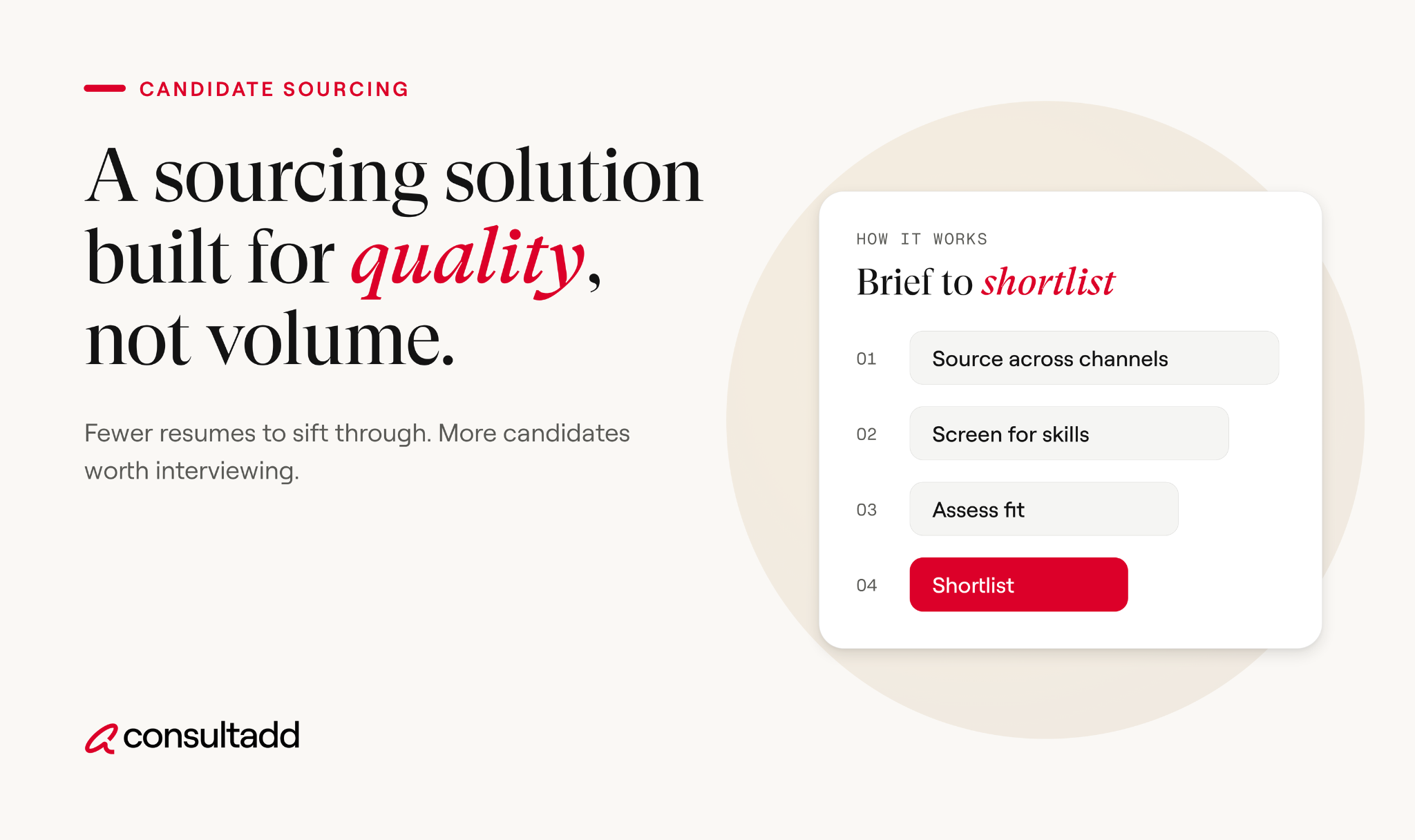
How to measure whether it's working
Vendors report the numbers that make them look good. Track these yourself, broken out by source, and compare each one against the baseline from your current process.
The offer-to-start rate is the one teams most often skip, and it's where weak sourcing shows up most clearly. A candidate who drops out between offer and start date costs you the whole cycle.
Running a 30-day pilot
Don't sign an annual contract based on a demo. Run a short, structured test first.
- Pick three to five real open roles, including at least one that's genuinely hard to fill.
- Record your baseline. Pull last quarter's numbers for each metric in the table above.
- Run the new solution alongside your current process. Don't replace anything yet.
- Review weekly with hiring managers. Ask them about candidate quality, not just candidate counts.
- Compare results by source at day 30. Base the decision on cost per qualified submittal and start rate.
Before the first submittal, settle the compliance basics. For contract candidates, confirm who is the employer of record and who completes Form I-9 employment eligibility verification. Also ask any software or service vendor how they collect candidate data and how you can use it.
Picking your candidate sourcing solution
The right candidate sourcing solution fixes the stage where your pipeline actually fails. If you can't find names, buy reach. If names don't turn into interviews, invest in qualification.
And if candidates disappear between offer and start date, the problem was confirming intent.
Write down which of those stages is failing, run a 30-day pilot on your hardest roles, and let your own numbers make the decision.
Start Strong With Consultadd
With 15 years in business and 5,000+ successful staffing engagements, we don't just fill roles, we build reliability into your process. We've supported 65 staffing companies in the past year alone and maintain MSAs with industry leaders like Robert Half and TEKsystems.
Here's what working with Consultadd looks like:
- Talent sourced in under 24 hours
- Ready-to-deploy candidates, vetted for experience and compliance
- Lower turnover risk: we match long-term goals, not just short-term needs
- Seamless compliance: visa, documentation, onboarding? Handled.
- Dedicated 1:1 account managers for responsive, personalized support
- Top 100 candidate matches delivered in the past year
- Strong partnerships with universities to tap into fresh, committed talent
- Post-placement support so your investment grows beyond day one
For candidates, your next opportunity is more than just a job title, it's a chance to build skills, gain experience, and move your career forward. At Consultadd, we connect technology professionals with projects and employers that align with their goals, whether they're looking for contract, contract-to-hire, or long-term opportunities.
The tech job market moves fast, but the right guidance can make all the difference. Ready to take the next step in your career journey? Explore Opportunities >>
Key takeaways
- A candidate sourcing solution should help find, reach, qualify, and track candidates. Check which of those jobs a vendor actually handles.
- AI sourcing software adds volume. Screening still falls on your own recruiters.
- Outsourced sourcing services and RPO move the work to an outside team. RPO requires the longest commitment.
- Talent supply partners fit contract roles and staffing agencies that need pre-vetted, available candidates quickly.
- Track results by source, especially the offer-to-start rate, and run a 30-day pilot before signing anything long term.
FAQs
What is a candidate sourcing solution?
It's any tool, service, or partner that helps you identify and engage qualified candidates before they apply. Options range from AI search software to outsourced sourcers and talent supply partners. The best ones help qualify candidates too, not just find them.
What is the difference between sourcing and recruiting?
Sourcing finds potential candidates and starts the conversation. Recruiting takes those candidates through screening, interviews, offers, and onboarding. Many problems blamed on recruiting actually start with weak sourcing.
Is AI sourcing software worth it for small recruiting teams?
It can be, as long as the team has time to screen what the tool finds. If your recruiters are already overloaded, more names can slow them down. For a small team, a sourcing service or supply partner may deliver more qualified candidates per hour spent.
How much does a candidate sourcing solution cost?
Costs depend on the model, so compare how each option is priced before you compare prices. Software is usually a per-seat subscription. Sourcing services charge per role or per month, RPO charges management and per-hire fees, and supply partners charge per placement or through a margin on the bill rate.
Can staffing agencies outsource candidate sourcing?
Yes, and many do, especially for contract tech roles with short deadlines. Talent supply partners send pre-vetted candidates to the agency, and the agency keeps the client relationship. This lets recruiters spend their time on client work instead of cold outreach.
How do you reach passive candidates?
Use personalized outreach that references a candidate's actual work, and keep past applicants engaged over time. Sourcing software helps you find passive candidates. Earning their reply takes a relevant role and a message written for them.

Time to Fill: Where Hiring Days Go and How to Cut Them
Introduction
Most teams know their time to fill. Very few know which part of it is the problem. A 55-day average doesn't tell you whether the role sat in approval for two weeks, whether sourcing came up empty, or whether a strong candidate waited nine days for interview feedback.
This guide breaks time to fill into stages so you can see where your hiring days actually go. It includes a simple audit you can run on your last ten hires, a way to estimate what a slow fill costs, and specific fixes for the stages that stall IT roles most often.
If you need the basic formula or industry benchmarks, our comparison of time to hire vs time to fill covers those in detail.
TL;DR
- A single time to fill number hides the real problem. Splitting it into stages shows where the days are lost.
- The federal government already uses a stage-based model with suggested days per step, and private teams can borrow the approach.
- Auditing your last ten hires by stage takes an afternoon and usually shows one or two stages causing most of the delay.
- In IT hiring, the slowest stages tend to be intake and approval, sourcing for niche skills, and offer or compliance steps.
- Put a daily cost on vacancy so delays become a business conversation, not just a recruiting complaint.
What the time to fill metric actually captures
Time to fill counts the calendar days from when a role is opened to when a candidate accepts the offer. That's the short version, and it's enough for this guide.
What matters more is agreeing on the exact start and end events. Some teams start the clock when a hiring manager asks for headcount.
Others start it when HR approves the requisition or when the job is posted. Some stop at offer acceptance, and others stop at the start date.
Pick one definition and write it down. If two recruiters measure differently, stage-level analysis falls apart, because you're comparing different things.
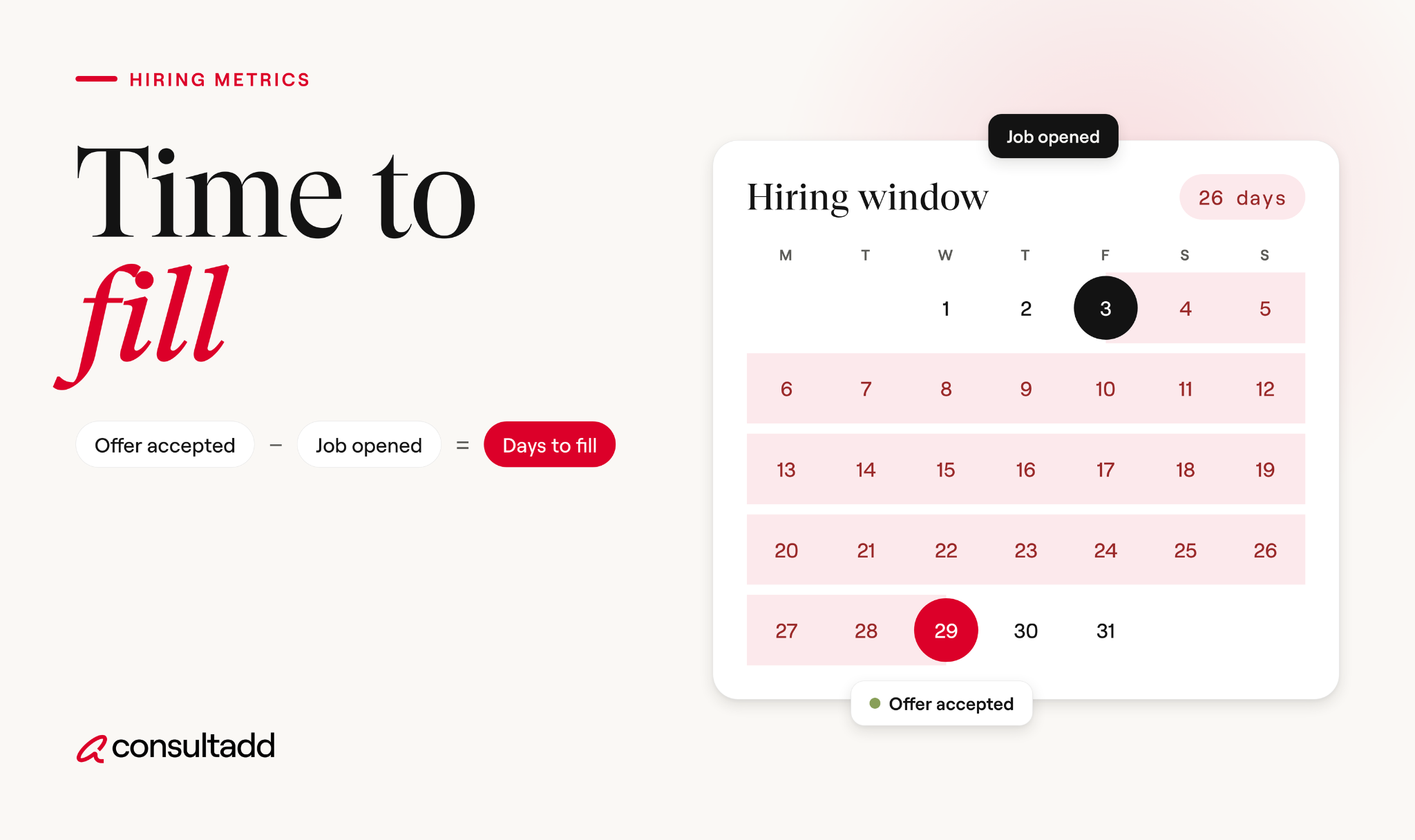
Time to fill by stage: borrowing the federal model
The clearest public example of stage-based hiring measurement comes from the U.S. Office of Personnel Management. Its End-to-End Hiring Initiative sets an 80-day hiring standard and tracks the share of employees hired within that window.
OPM notes that the days assigned to each step are suggestions, and agencies can shift them as long as the total stays within 80 days.
Here's how one agency, USDA's Farm and Foreign Agricultural Services, mapped that model:
You don't need to copy federal steps. The useful idea is the structure. Every stage has an owner and a time budget, so when hiring runs long, you can point to the stage that broke.
Keep in mind that the federal model measures all the way to the start date, which is later than where most private teams stop the clock.
Even with a budget per stage, delays happen. OPM set the 80-day target, but federal agencies averaged 105.8 days at the 2016 and 2017 peak and 98.3 days in 2018. Having a model doesn't fix time to fill on its own. It shows you where to look.
How to audit your average time to fill
You don't need new software for this. An ATS export or even a shared spreadsheet works.
Pull your last ten filled roles, ideally from the same job family, such as software engineering or data. Then record the date each role hit these milestones:
- Headcount requested by the hiring manager
- Requisition approved
- Job posted or sent to recruiters and partners
- First qualified candidate submitted to the hiring manager
- First interview held with the eventual hire
- Final interview completed
- Offer extended
- Offer accepted
Now calculate the days between each milestone and average them across the ten roles. The result will look something like this:
In most audits, one or two stages account for most of the delay. That's good news, because it means you can fix a specific problem instead of trying to speed up everything at once.
One tip from recruiters who run these audits often: look at the range, not just the average. If sourcing takes 4 days for some roles and 30 for others, the question isn't "why is sourcing slow?" It's "which roles are hard to source, and why?"
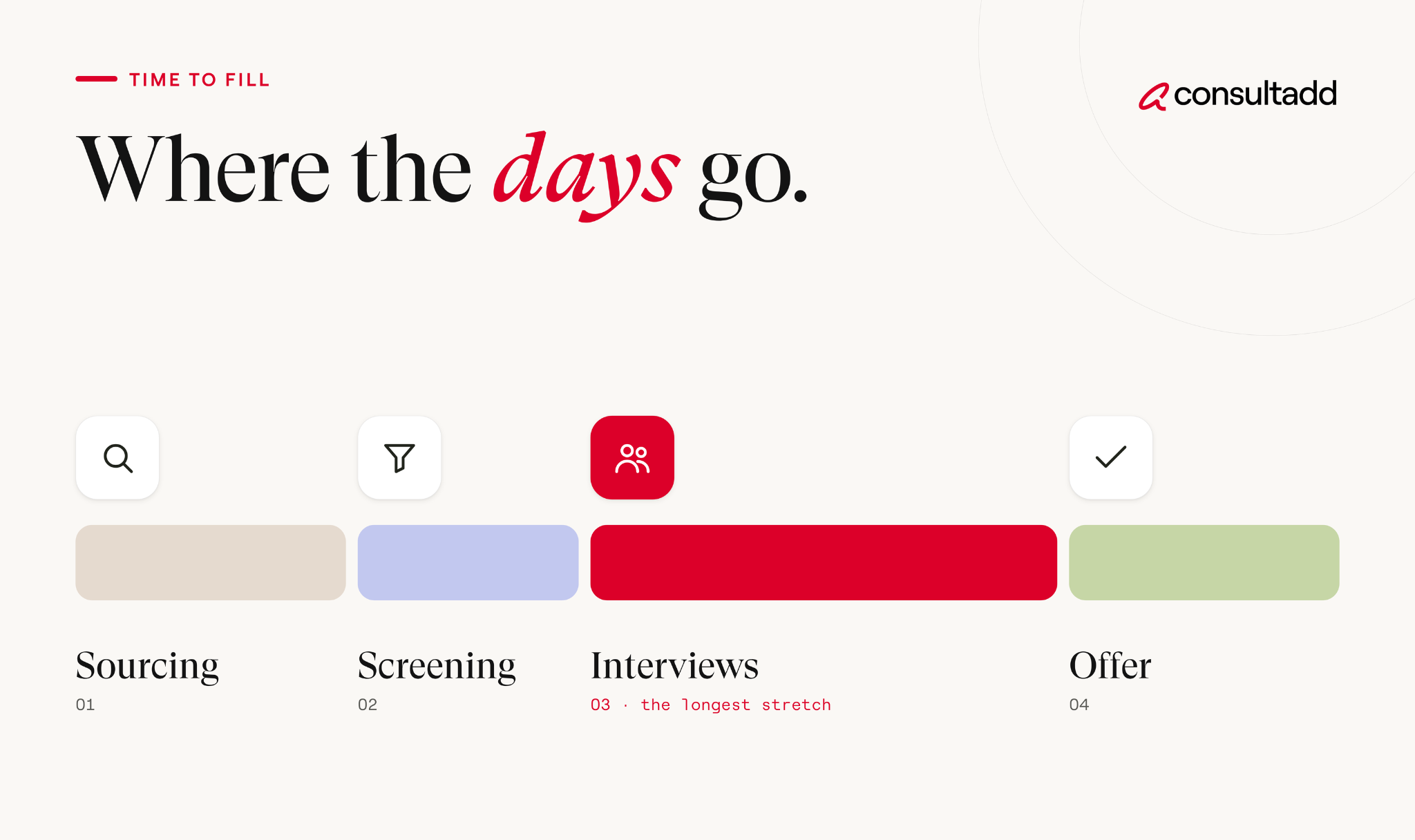
How to reduce time to fill for IT roles, stage by stage
Tech hiring has its own pressure points. Skill sets are narrow, candidates often have multiple offers, and contract roles come with extra compliance steps.
Here's where to focus once your audit shows the slow stage:
1. Intake and approval
A lot of delay happens before a single candidate is contacted. The fix is a 30-minute intake meeting between the recruiter and hiring manager on day one.
Settle four things in that meeting: the must-have skills, the nice-to-haves, the salary or bill rate range, and who has final say on the hire. When these are fuzzy, the search restarts halfway through. That's one of the most expensive mistakes in IT hiring, because the calendar keeps running.
It also helps to keep pre-approved job templates for roles you hire often, like Java developers or cloud engineers. Starting from a template cuts days out of the launch stage.
2. Sourcing
Sourcing is usually the longest stage for niche tech roles. A posted job for a Kubernetes specialist or a Salesforce architect may not get many qualified applicants no matter how well it's written.
A few things make a real difference:
- Go back to strong finalists from past searches. A candidate who came second six months ago may be available now.
- Keep a warm pipeline for roles you fill every quarter, even when nothing is open.
- Bring in a staffing partner early for hard-to-fill skills, rather than after the posting has been live for a month.
3. Screening and interviews
Once candidates arrive, the delay usually shifts to the hiring team. Shortlists sit in inboxes, and interviews get scheduled a week out.
Try blocking recurring interview slots on the hiring team's calendars while a role is open. Some teams run a single "interview day" where the candidate meets everyone in one session.
For a structured way to design those rounds, see our guide to IT staffing best practices.
4. Offer, compliance and acceptance
This last stretch gets less attention than it should. Offers wait on compensation approval, and contract hires wait on documentation, background checks or work authorization review.
Pre-approve salary or rate bands before interviews start, so the offer goes out within a day of the final interview.
Start background checks and paperwork as soon as a verbal yes comes in, instead of waiting for every signature first. And keep your second-choice candidate warm until the start date. Offers do fall through.
Putting a price on the cost of vacancy
Recruiters often know time to fill is too long but struggle to get leadership to act. Putting a daily cost on an empty seat changes that conversation.
There's no universal number, but you can build a rough estimate for your own roles:
The numbers above are hypothetical, not a benchmark. Use your own finance team's estimate of what the role produces. Even a rough figure helps a hiring manager see why a nine-day wait for interview feedback isn't a small thing.
Labor market conditions add pressure too. The U.S. Bureau of Labor Statistics reported 7.3 million job openings in July 2026, according to its latest JOLTS release.
With that many open roles competing for talent, strong tech candidates rarely wait around for slow processes.
When a staffing partner shortens time to fill (and when it won't)
A staffing partner helps most in the sourcing stage, because they start with candidates who are already screened and available.
For contract and contract-to-hire roles, they can also take on compliance and onboarding paperwork, which speeds up the final stage.
A partner won't fix slow internal stages. If requisitions sit in approval for two weeks or interview feedback takes ten days, you'll get great candidates faster and then lose them at the same bottleneck. Run your audit first so you know which problem you're paying to solve.
If you're comparing options, our review of the best IT staffing firms explains what to look for.
It's also worth reading why IT contract staffing works as a business strategy, since a contract hire can fill the seat while a permanent decision takes longer.
Setting a time to fill target you can actually hit
A useful time to fill target is built from your own stage data, not borrowed from a national average. Start with your audit, then set a time budget for each stage, the way OPM's model does. Give every stage an owner, and review the numbers monthly by job family.
Aim to improve the slowest stage first. Cutting a two-week approval delay to three days will do more for your time to fill than shaving a day off every other step. Once that stage is under control, the audit will show you the next one.
Start Strong With Consultadd
With 15 years in business and 5,000+ successful staffing engagements, we don't just fill roles, we build reliability into your process. We've supported 65 staffing companies in the past year alone and maintain MSAs with industry leaders like Robert Half and TEKsystems.
Here's what working with Consultadd looks like:
- Talent sourced in under 24 hours
- Ready-to-deploy candidates, vetted for experience and compliance
- Lower turnover risk: we match long-term goals, not just short-term needs
- Seamless compliance: visa, documentation, onboarding? Handled.
- Dedicated 1:1 account managers for responsive, personalized support
- Top 100 candidate matches delivered in the past year
- Strong partnerships with universities to tap into fresh, committed talent
- Post-placement support so your investment grows beyond day one
For candidates, your next opportunity is more than just a job title, it's a chance to build skills, gain experience, and move your career forward. At Consultadd, we connect technology professionals with projects and employers that align with their goals, whether they're looking for contract, contract-to-hire, or long-term opportunities.
The tech job market moves fast, but the right guidance can make all the difference. Ready to take the next step in your career journey? Explore Opportunities >>
Key takeaways
- Break time to fill into stages with a clear owner and time budget for each, so delays can be traced to a specific step.
- Audit your last ten hires by milestone. One or two stages usually cause most of the delay.
- For IT roles, focus on intake clarity, early sourcing for niche skills, blocked interview time and pre-approved offer ranges.
- Estimate a daily cost of vacancy with your finance team to make hiring delays a business priority.
- Use staffing partners to speed up sourcing and compliance, but fix slow internal approvals and feedback first.
FAQs
What is a good time to fill for IT roles?
It depends on the seniority and how niche the skill set is. Senior or specialized tech roles usually take longer than general roles. Track your own time to fill by job family over several quarters and aim to improve on that trend, rather than chasing a single industry number.
How do you calculate time to fill?
Count the calendar days from the date the role is opened to the date the candidate accepts the offer. For an average, add up the days for all hires in a period and divide by the number of hires.
What causes a long time to fill?
The most common causes are unclear role requirements, slow requisition approval, a thin talent pool for niche skills, and slow feedback from hiring managers. Offer approvals and background checks can add days at the end. A stage-by-stage audit shows which of these applies to your team.
How can I reduce time to fill quickly?
Start with the slowest stage in your audit, since that's where you'll recover the most days. Quick wins include a day-one intake meeting, pre-approved salary ranges and blocked interview slots on hiring managers' calendars. For hard-to-fill roles, bringing in a staffing partner early also helps.
Does time to fill include onboarding?
Usually not. Most private employers stop the clock at offer acceptance. Some organizations, including federal agencies following OPM's model, measure through the start date, so check which definition a benchmark uses before comparing.
Is a shorter time to fill always better?
Not if speed comes at the cost of a bad hire. The goal is to remove waiting time, like delayed feedback or approvals, not to skip evaluation steps. Track quality of hire and early retention alongside time to fill so you know speed isn't hurting results.
.png)
Technology Terms Every Recruiter Should Know In 2026
Introduction
You don't need to write code to recruit engineers. You do need to know what the words mean, because a hiring manager who says "we need someone strong on Kubernetes and Terraform, ideally with SRE exposure" is describing a specific person, and you can't find that person by pattern-matching on keywords.
This is a working glossary of the technology terms that show up most in job descriptions, resumes, and screening calls. Each entry has a plain-English definition plus a short note on what it actually signals when you see it on a resume.
It's organized by category so you can jump to what you need. Nothing here requires a technical background to follow.
TL;DR
- Technology terms cluster into roles, languages, infrastructure, data, process, and security. Learning the clusters beats memorizing a long alphabetical list.
- The words that cause the most hiring mistakes are the ones that look similar, like Java and JavaScript, or DevOps and SRE.
- A tool name on a resume tells you less than the context around it. Two years of daily use and one weekend tutorial can read identically.
- Version and scale details matter more than the tool itself. React for a 5-person startup and React for a 200-engineer platform are different jobs.
- You don't have to fake expertise. Asking a candidate to explain something is a better screening move than pretending you already know it.
How To Use This Glossary
Two ways to read this.
If you're new to technical recruiting, skim the role definitions first, then the process section. Those two give you enough to follow a conversation with a hiring manager.
If you're already sourcing and just hit a term you don't recognize, jump to the category and move on.
One caution before the lists start. A glossary tells you what a word means, not how much someone knows. "Experience with AWS" covers everything from spinning up one server to architecting a multi-region system.
The follow-up question is always what matters, and there's a section at the end on how to ask it.
For broader context on where these skills sit in the job market, the BLS occupational outlook for computer and information technology is a reasonable baseline for role definitions and demand.
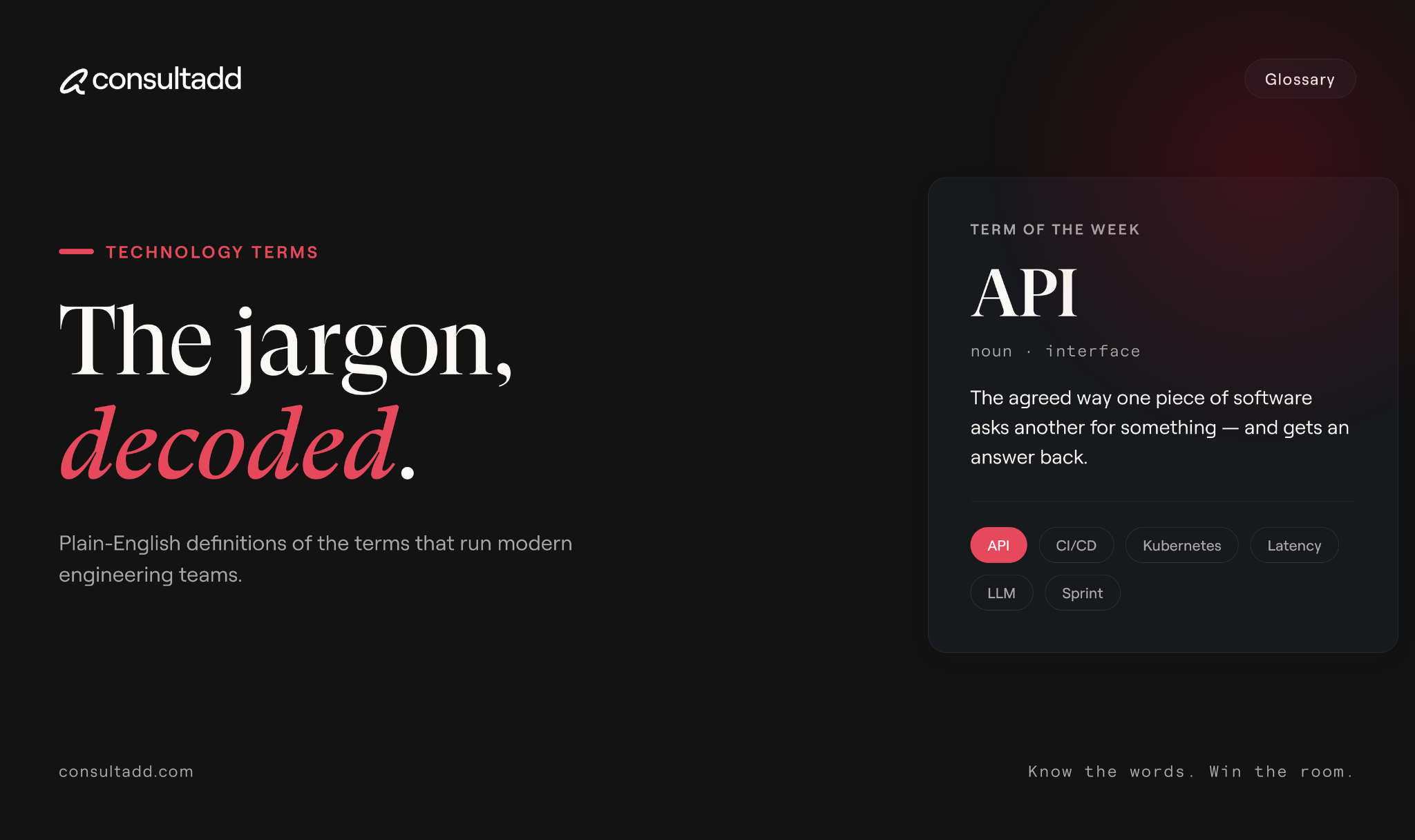
Roles And Job Titles
Programming Languages And Frameworks
A framework is a structure built on top of a language that handles common tasks so developers don't rebuild them. A library is a smaller collection of reusable code.
The distinction rarely changes a sourcing decision, but confusing a framework with a language does.
Cloud And Infrastructure
Cloud computing has a formal definition worth knowing, since the service model acronyms come directly from it. NIST Special Publication 800-145 defines cloud computing along with its three service models and four deployment models.
Data, Analytics, And AI
How Software Actually Gets Built
These terms come up in every hiring manager conversation, and knowing them makes you sound informed faster than knowing any language name.
If a hiring manager starts talking about delivery performance, they're often referring to a common set of measures.
Google's DORA research defines four software delivery metrics covering speed and stability, and those four show up in engineering leadership conversations often enough to be worth recognizing.
Security Terms Worth Knowing
Security roles split into offensive (finding weaknesses), defensive (detecting and responding), and governance (policy and compliance). They attract different candidates and different rates, so it's worth clarifying which one a req actually needs.
Technology Terms People Mix Up
This section prevents more bad submissions than any other list here.
Java and JavaScript. Different languages, unrelated origins, different jobs. A Java developer is generally not a JavaScript developer.
DevOps and SRE. DevOps is a set of practices connecting development and operations. SRE is a specific engineering discipline focused on reliability, typically with uptime targets and incident response responsibilities. A DevOps engineer and an SRE can both exist on one team doing different work.
AI and machine learning. ML is a subset of AI. "AI experience" on a resume usually means ML work or, increasingly, building on top of existing LLMs, which is a different skill from training models.
Data engineer, data scientist, and data analyst. The engineer builds pipelines, the scientist builds models, the analyst answers business questions with existing data. Submitting one for another is a common and avoidable miss.
API and SDK. An API is the interface. An SDK is a package of tools and libraries for building against a platform.
Front-end and full-stack. Many candidates describe themselves as full-stack when their backend experience is thin. Ask what they built on the server side and how recently.
Cloud certification and cloud experience. A certification proves someone studied. It doesn't prove they've run anything in production. Both matter, neither substitutes for the other.
Using These Terms In A Screening Call
Knowing the vocabulary is step one. Using it without overreaching is step two.
Three questions that work regardless of how technical you are:
"Walk me through what you actually did with it." A candidate who used Kubernetes daily describes specific problems. One who touched it once describes what it is. You don't need to evaluate the answer technically to hear the difference.
"How big was the system and how big was the team?" Scale context changes everything. Same tool, very different job.
"What part of this stack would you not want to work on again?" Honest candidates answer specifically, and the answer usually tells you where their real depth is.
And when you don't know something, say so and ask. Candidates respond better to a recruiter who asks a clear question than one who bluffs through a term they've misread.
If you're building out the broader process around these conversations, Consultadd's guide to technical recruitment covers sourcing and screening structure, and the candidate vetting sequence covers what happens after the screen.
For candidates on the other side of this conversation, the 2026 coding interview playbook covers what these terms look like when they show up in technical rounds.
Start Strong With Consultadd
With 15 years in business and 5,000+ successful staffing engagements, we don't just fill roles, we build reliability into your process. We've supported 65 staffing companies in the past year alone and maintain MSAs with industry leaders like Robert Half and TEKsystems.
Here's what working with Consultadd looks like:
- Talent sourced in under 24 hours
- Ready-to-deploy candidates, vetted for experience and compliance
- Lower turnover risk: we match long-term goals, not just short-term needs
- Seamless compliance: visa, documentation, onboarding? Handled.
- Dedicated 1:1 account managers for responsive, personalized support
- Top 100 candidate matches delivered in the past year
- Strong partnerships with universities to tap into fresh, committed talent
- Post-placement support so your investment grows beyond day one
For candidates, your next opportunity is more than just a job title, it's a chance to build skills, gain experience, and move your career forward. At Consultadd, we connect technology professionals with projects and employers that align with their goals, whether they're looking for contract, contract-to-hire, or long-term opportunities.
The tech job market moves fast, but the right guidance can make all the difference. Ready to take the next step in your career journey? Explore Opportunities >>
Key Takeaways
- Technology terms are easier to learn in clusters, by role, language, infrastructure, data, process, and security, than as a flat alphabetical list.
- The most expensive confusions are between similar-sounding terms: Java and JavaScript, DevOps and SRE, data engineer and data scientist.
- A tool name on a resume carries no information about depth. Scale, team size, and recency do.
- Process vocabulary like sprint, pull request, and CI/CD buys you more credibility with hiring managers than memorizing framework names.
- Asking a candidate to explain something you don't know is a stronger screening move than bluffing, and it usually produces better information.
FAQs
What are the most important technology terms for a non-technical recruiter to learn first?
Start with role definitions and process vocabulary. Knowing the difference between front-end, back-end, DevOps, and data roles, plus terms like sprint, pull request, and CI/CD, covers most hiring manager conversations. Language and framework names can be looked up as they come up.
Is Java the same as JavaScript?
No. They are separate languages with different uses, different ecosystems, and different developer communities. The similar name is a historical marketing decision, and treating them as related is one of the most common sourcing errors in tech recruiting.
What's the difference between DevOps and SRE?
DevOps describes practices that connect software development and operations, usually with heavy automation. SRE is a specific engineering role focused on system reliability, often with defined uptime targets and on-call incident response. Some companies use the titles loosely, so confirm the actual responsibilities with the hiring manager.
Do candidates need cloud certifications?
It depends on the role and the client. Certifications demonstrate structured knowledge and sometimes satisfy a client or partner requirement, but they don't demonstrate production experience. Treat them as a supporting signal rather than a qualification on their own.
How do I tell whether a candidate really knows a technology?
Ask what they built with it, how large the system was, and what went wrong. Depth shows up in specific problems and specific trade-offs. Surface familiarity tends to produce textbook definitions instead of stories.
How often do these technology terms change?
Core concepts like APIs, containers, and version control stay stable for years. Specific tools and frameworks shift faster, particularly in front-end and AI work. Reviewing the tool names in your active job descriptions every six months is usually enough to stay current.
.avif)
Pre-Employment Screening: A Practical Guide For Hiring
Introduction
Pre-employment screening is the part of hiring where a mistake costs you twice. Run too little and you find out about a problem after someone has system access. Run it carelessly and you end up on the wrong side of a federal law that comes with its own private right of action.
The good news is that the rules are clearer than most people assume. There's a required sequence, there's a required set of notices, and once your process follows both, screening becomes an operational problem rather than a legal one.
This guide covers how to decide what to check, the federal steps that apply when a third party runs your reports, realistic turnaround times, and the points where hiring teams lose days without noticing.
If you're building the wider hiring process rather than the screening piece specifically, Consultadd's guide to the candidate vetting sequence that cuts bad hires covers references, skills validation, and where teams cut corners.
TL;DR
- Pre-employment screening means verified checks run before someone starts, usually through a third-party consumer reporting agency, which triggers specific legal obligations.
- The FCRA requires a standalone written disclosure and the candidate's authorization before you order any report.
- If anything in a report might cost someone the job, you owe them a pre-adverse action notice with a copy of the report and a summary of their rights, plus time to respond.
- Screening depth should follow the risk of the role. Running executive-level checks on every hire adds days and money without adding safety.
- Most screening delays come from candidate data entry errors and manual court records, not from the provider being slow.
What Pre-Employment Screening Covers
Pre-employment screening is the verification layer that sits between an offer and a start date. Interviews tell you what someone says about themselves. Screening confirms the parts that can be checked against records.
A typical program pulls from a handful of check types:
- Identity and Social Security trace, which establishes name history and addresses to search
- Criminal history searches at county, state, and federal levels
- Employment verification with previous employers
- Education and credential verification
- Motor vehicle records, for roles that involve driving
- Credit history, only where the role genuinely justifies it and state law allows it
- Drug testing, where applicable to the role and jurisdiction
The important distinction is who runs the check. When you use a third-party company to compile background information, the report becomes a consumer report and the Fair Credit Reporting Act applies.
Googling a candidate yourself sits outside the FCRA, but still sits squarely inside anti-discrimination law.
Reference calls are a separate exercise with a different purpose. They gather judgment rather than records, which is why they need different questions.
Consultadd has a breakdown of reference check questions that surface something useful if that part of your process has gone generic.
Match The Checks To The Role, Not The Company
One screening package applied to every position is the most common design mistake. It over-screens junior roles, under-screens sensitive ones, and gives you no defensible logic if a candidate challenges a decision.
Write the policy by tier instead, and document why each tier gets what it gets.
Two rules keep the policy defensible. Apply each tier consistently to everyone in it, and write down the business reason for each check before you need to explain it.
Credit checks deserve particular care.
Several states restrict employment credit checks to specific job categories, and the EEOC and FTC joint guidance for employers advises reviewing state and municipal rules on top of federal law, because many localities regulate what you can consider and when you can ask.
The Legal Steps You Cannot Skip
This is the section worth printing. When a third party runs your reports, the sequence below is not optional.
Before you order the report
You need a written disclosure telling the candidate you may obtain a background report for employment purposes, and you need their written authorization.
The disclosure has to be a standalone document. The FTC's guidance for employers is specific that this notice should be clear and not buried inside other paperwork.
Burying it in the job application, or bolting a liability waiver onto it, is one of the most litigated FCRA mistakes there is. Keep the document to what it is: a plain notice and a signature line.
After the report comes back
If something in the report might cause you not to hire the person, a two-step process applies.
One more thing the same guidance covers: dispose of background reports securely once you're done with them. Shredding for paper, proper deletion for files.
Candidates have their own set of rights here, laid out in the EEOC and FTC guidance written for applicants. It's worth reading the applicant version too, because it tells you exactly what a well-informed candidate will expect from you.
How Long Screening Takes And What Slows It Down
Most hiring teams budget two days for screening and then lose a week. Here's where the time actually goes.
The single biggest controllable delay is candidate data entry. A typo in a Social Security number, a missing former address, an employer name without the legal entity. Every one of those bounces the file back and restarts a queue.
Fixing that is unglamorous: a clear instruction email, a named person the candidate can ask questions of, and a check on the submitted form before it goes to the provider.
Sequencing helps too. Order everything in parallel rather than waiting for the criminal search to clear before starting employment verification. And start the process the day the offer is accepted, not the day before the intended start date.
If your overall hiring timeline keeps slipping for reasons like this, Consultadd's piece on why hiring processes take longer than they should covers the other usual culprits.
Where Screening Budgets Get Wasted
Screening costs scale with scope, and scope is where the waste happens.
Running a seven-year, multi-county criminal search plus credit plus education on an entry-level role costs more and takes longer than a tiered approach, without making the hire any safer. That's money and days spent on a risk the role doesn't carry.
Three other patterns worth checking in your own process:
Duplicate screening. Contractors placed through a staffing partner have usually already been screened. Running the same package again is a second invoice for the same information. Ask what your partner already ran and what documentation they can share.
Re-screening on rehire without a policy. Some companies re-run everything for a boomerang employee who left four months ago. Others never re-screen anyone. Neither is a decision, they're both defaults.
Paying for speed you don't use. Expedited processing is worth it when a start date is fixed. It's wasted when the hiring manager takes three days to review results anyway.
The Candidate Experience Nobody Designs
Screening is often the last impression a candidate has before day one, and it's usually the worst-designed part of the process.
They've resigned from their jobs. They're being asked for a Social Security number, addresses going back seven years, and consent to a criminal search, frequently by an unfamiliar company with no explanation attached. Then they hear nothing for six days.
Three small fixes handle most of it:
- Tell them in advance what will be checked, who the provider is, and roughly how long it takes
- Give them a named contact for questions, not a no-reply address
- Message them proactively when something is taking longer than expected
Candidates who feel informed complete forms faster and accurately, which shortens your timeline. The courtesy and the efficiency point in the same direction here.
Screening Contractors And Visa Holders
Two groups get treated as exceptions, and both deserve the same rigor as everyone else.
1. Contractors
Short engagements often get a lighter screen on the assumption that less time means less risk.
That logic doesn't hold when a three-month contractor has the same repository and production access as a full-time engineer. Screen by access level and role risk, not employment type.
2. Visa holders.
Work authorization verification is separate from background screening and legally mandatory for everyone. Every US employer must complete Form I-9 for each new hire, regardless of citizenship.
That requirement applies uniformly, and applying extra scrutiny to candidates based on perceived national origin creates discrimination exposure of its own.
If your team handles a mix of citizens, visa holders, and contractors, Consultadd's guide to work authorization requirements for new hires breaks down what documentation each category needs.
Start Strong With Consultadd
With 15 years in business and 5,000+ successful staffing engagements, we don't just fill roles, we build reliability into your process. We've supported 65 staffing companies in the past year alone and maintain MSAs with industry leaders like Robert Half and TEKsystems.
Here's what working with Consultadd looks like:
- Talent sourced in under 24 hours
- Ready-to-deploy candidates, vetted for experience and compliance
- Lower turnover risk: we match long-term goals, not just short-term needs
- Seamless compliance: visa, documentation, onboarding? Handled.
- Dedicated 1:1 account managers for responsive, personalized support
- Top 100 candidate matches delivered in the past year
- Strong partnerships with universities to tap into fresh, committed talent
- Post-placement support so your investment grows beyond day one
For candidates, your next opportunity is more than just a job title, it's a chance to build skills, gain experience, and move your career forward. At Consultadd, we connect technology professionals with projects and employers that align with their goals, whether they're looking for contract, contract-to-hire, or long-term opportunities.
The tech job market moves fast, but the right guidance can make all the difference. Ready to take the next step in your career journey? Explore Opportunities >>
Key Takeaways
- Pre-employment screening is the verified layer of hiring, and using a third-party provider brings FCRA obligations along with it.
- A standalone written disclosure and the candidate's authorization come before any report is ordered. No exceptions, no bundling into the application.
- The pre-adverse action step exists because reports contain errors. Send the report, wait a reasonable period, then finalize.
- Tier your screening policy by role risk and write down the reasoning, so the process is consistent and explainable.
- Most delays trace back to candidate data errors and manual court records, both of which you can plan around.
FAQs
What is the difference between pre-employment screening and a background check?
A background check is one component of pre-employment screening. Screening is the broader set of verifications run before someone starts, which can include identity, criminal history, employment, education, driving records, and testing. Background check usually refers specifically to the criminal and records portion.
Do I need the candidate's permission to run a pre-employment screening?
Yes, when a third-party consumer reporting agency runs it. The FCRA requires a clear written disclosure in a standalone document and the candidate's written authorization before you order any report. Skipping or bundling that disclosure is a common source of litigation.
When in the hiring process should screening happen?
Most employers screen after extending a conditional offer, which keeps the cost down and avoids screening candidates who won't reach that stage. Some state and local laws also restrict when you can ask about criminal history, so confirm the rules for each jurisdiction you hire in.
What happens if something comes back on a report?
You send a pre-adverse action notice with a copy of the report and a summary of the candidate's FCRA rights, then give them reasonable time to respond or dispute it. If you still decide not to hire, you send a final adverse action notice with the reporting company's details and the candidate's dispute rights.
How long should a pre-employment screening take?
A standard package usually completes in two to five business days. Education verification, international records, and counties requiring manual court retrieval can push it to a week or more, so build that into the offer-to-start timeline rather than discovering it late.
Can a staffing partner handle screening for us?
Yes, and for contract placements the partner typically screens before submitting candidates. Ask specifically which checks are included, what documentation they can share, and who holds compliance responsibility, since that division should be written into the agreement rather than assumed.